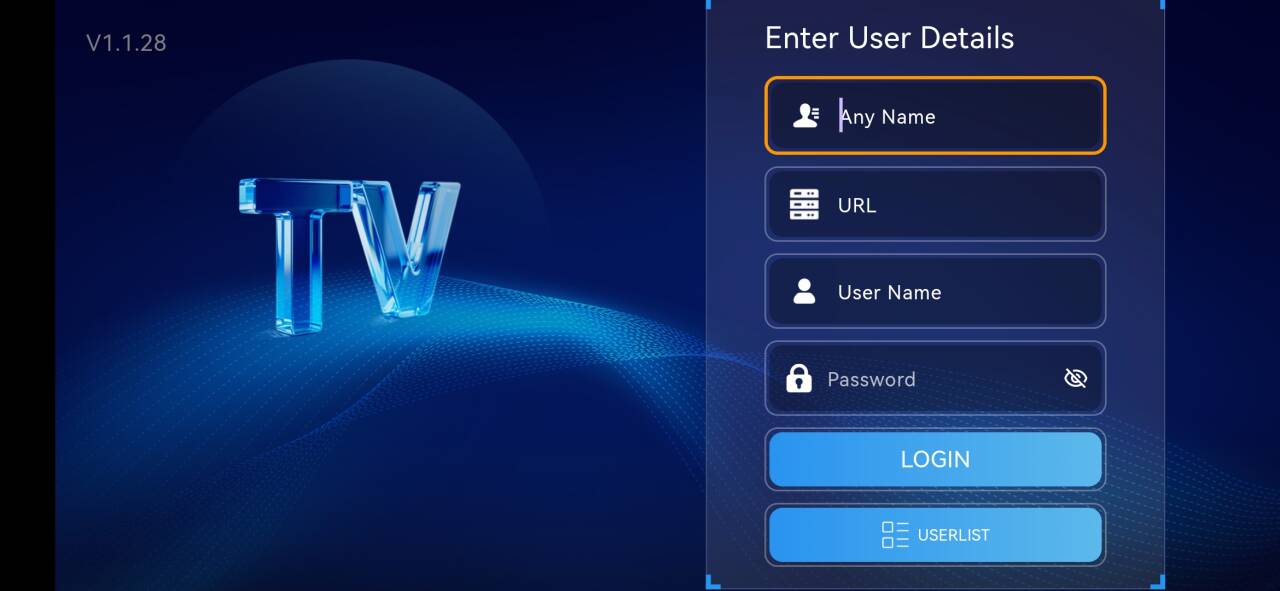





Miya Instruction for IOS
①. SMAX and SMAX PRO , We recommend GSE SMART APP for IOS
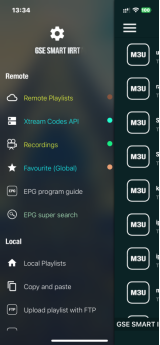
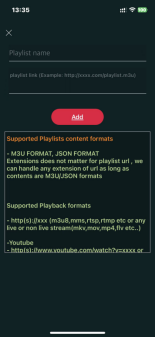
Setup With M3u for “gse smart app”
1)Click “Remote Playlist”
2)Click “+” icon, it will show setup m3u menu
First Line: input any words
example: SMAX
Second Line: input the m3u we sent to you (m3u is usually relatively long, it is recommended to use copy and paste, do not enter manually, to avoid mistakes, any wrong character may cause it to not work)
example:
http://app.nicfix.xyz:80/get.php?username=4SG45WX9oB&password=7jUDuhY8SM&type=m3u_plus&output=mpegts
Setup Xtream API format for “gse smart app”:
Step 1: Click “Xtream API”
Step 2: Click “+” icon, it will show setup menu
Pasted Image
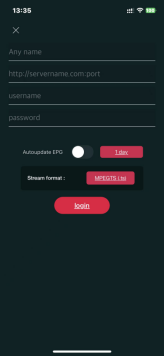
First Line: input any string which you like
example:SMAX
Second Line: input the username we sent you, Case Sensitive
example:4SG4G9o5XPB
Third Line: input the account password we sent you, Case Sensitive
example:7jUDHuhYSM
Fourth Line: input the server domain and port
example: http://app.nicfix.xyz:80
Step 3: After adding the playlist, it will automatically download the playlist
Step 4: After loading successfully, different channel groups will be displayed
https://mega.nz/folder/ZmZCRZRJ#ejirmRWGeHX0Eqffohr7kg
②. P2P SXMAN , We recommend Mivido APP for IOS/iPad/macOS:
iOS/iPad/macOS App on the Apple Store: Mivido
https://apps.apple.com/app/mivido/id6749118429